7 October 2026 · 21 min read
10 TikTok Video Maker Tools for Better Clips
Compare 10 TikTok video maker tools for vertical crops, auto-captions, templates, repurposing, and efficient publishing workflows.
One TikTok video maker won't suit every creator, because “making a TikTok” can mean several different jobs. A mobile creator may need a fast camera, teleprompter, and trend template. A podcast team may need to turn a long recording into several self-contained clips. A brand may care more about safe zones, approvals, brand assets, and direct publishing than about experimental effects.
This shortlist compares tools by the production bottleneck they remove: trend-led editing, browser collaboration, transcript-based repurposing, brand consistency, mobile recording, or automated clip selection. The evaluation focuses on vertical output, caption control, template usefulness, editing depth, automation, platform fit, and practical limitations. It also considers whether a tool helps produce a complete answer to a viewer's question, rather than just extracting an attractive moment.
That distinction matters as TikTok becomes a search destination. In a 2025 dataset reported by Search Engine Land, 73% of users searched on TikTok at least once daily, while 25% entered a search query within the first 30 seconds of opening the app. A strong TikTok video maker therefore needs to support not just hooks and visual polish, but also context, readable captions, and search-aligned wording.
The list begins with the strongest option for long-form repurposing, then moves through tools for trend editing, online teamwork, branded campaigns, dialogue editing, summarization, and mobile filming. The final section uses workflow scenarios instead of declaring one universal winner.
Table of Contents
- 1. Keptbits
- 2. CapCut
- 3. VEED
- 4. Kapwing
- 5. Adobe Express
- 6. Microsoft Clipchamp
- 7. Descript
- 8. Opus Clip
- 9. Pictory
- 10. Captions
- Top 10 TikTok Video Makers, Comparison
- Choose the TikTok Video Maker That Fits Your Bottleneck
1. Keptbits
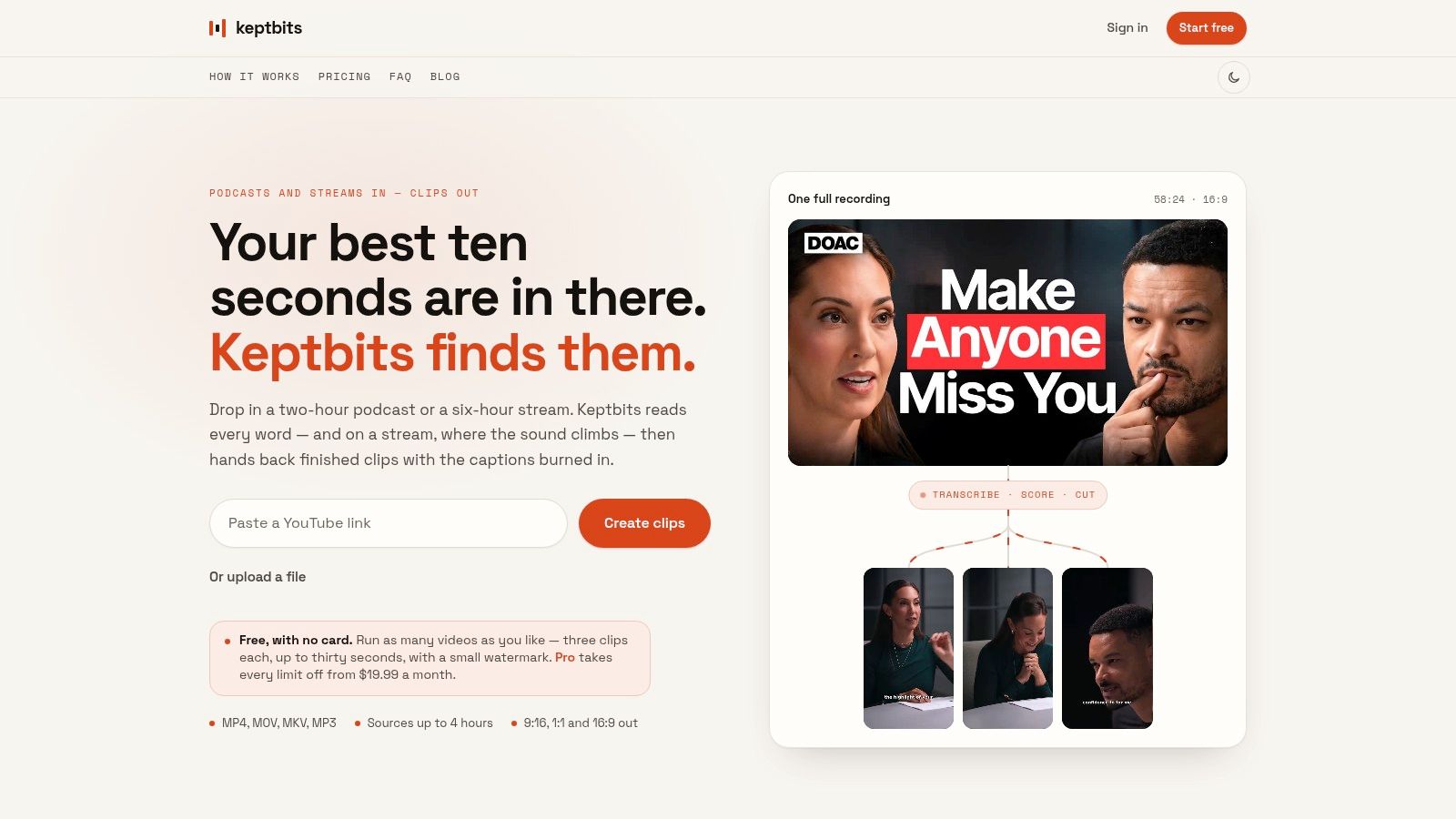
Keptbits solves the bottleneck that wastes the most time for many podcasters, interview creators, streamers, and webinar teams: finding usable moments inside long recordings. Instead of asking an editor to scrub through an entire episode, the browser-based app analyzes the recording, separates speakers, identifies candidate moments, and returns short clips designed to work on their own.
The distinction is important. Keptbits scores clips for narrative completeness, not just for keywords or isolated emotional peaks. A selected segment is intended to open with enough context, develop a point, and reach a natural resolution. That makes it particularly useful for educational, explanatory, and interview content where the strongest TikTok may be a complete answer rather than the loudest sentence.
Why the editing feels finished
The app uses word-level transcription to place cuts at real word and sentence boundaries. That reduces the risk of a clip beginning halfway through a syllable or ending before the speaker finishes a thought. Speaker-aware reframing keeps the active speaker in the vertical crop, avoiding the sliding or drifting movement that can make automated reframing look artificial.
Captions are burned into the video and timed word by word. Free users get the Bold Pop style, while Pro includes 20 caption styles. The system exports 9:16, 1:1, and 16:9, so one source can support TikTok, square social feeds, and wider video placements without rebuilding every edit.
Pro also adds silence removal, transitions, color grading, and an in-app clip editor. The free plan costs $0, requires no card, and allows unlimited runs with up to three clips per run, each up to 30 seconds, with a small watermark. Pro costs $19.99 per month or $5.99 per week, with the first week free, unlimited clips per run up to three minutes, all caption styles, and no watermark.
Practical rule: Use Keptbits when the source already contains valuable speech and your main problem is selecting, shaping, and formatting the best moments.
The trade-off is equally clear. Automated scoring may overlook a subtle story that depends on broader context, so an editor may still need to adjust the result. The public product materials describe the workflow in detail, but they don't publish customer testimonials or industry awards and certifications. That makes a hands-on trial more useful than relying on social proof.
2. CapCut
CapCut is the better fit when the bottleneck is fast, trend-led editing on an existing piece of footage. Its strength isn't long-form editorial judgment. It's the combination of a timeline editor, templates, effects, music, captions, and mobile-first TikTok workflows in one familiar environment.
The tool works across browser, desktop, and mobile. Creators can use vertical templates and effects, edit with a timeline, generate auto-captions, manually correct the transcript, and import or export SRT subtitle files. Its mobile app can link with a TikTok account for direct publishing, but that account-linking and direct-posting path is mobile-only.
Where CapCut earns its place
CapCut serves creators who already know what they want to post and need to package it in a platform-native style. Templates shorten the path from raw footage to a recognizable trend format. Effects and music support quick experimentation, while auto-captions provide a practical starting point that creators can correct before export.
That makes CapCut a strong choice for a solo creator filming several short clips on a phone, especially when each video needs a different visual treatment. It also works well for creators who want to make the final creative decisions themselves rather than accept automated clip selection.
For a deeper comparison of browser and desktop options, this guide to vertical video editors provides useful context. CapCut's limitation is that its speed depends on the creator already having usable source footage and a clear editorial idea. It won't automatically inspect a long interview and rank self-contained answers in the same way a repurposing tool does.
Premium templates and features can vary by platform and region, so teams should check the plan shown in their own account. Choose CapCut when trend relevance, mobile editing, and rapid hands-on control matter more than transcript-led automation.
3. VEED
VEED removes the bottleneck of browser-based production and collaboration. A creator can upload footage, edit it, add subtitles, resize it for 9:16, and export without installing a desktop editor. For a distributed marketing team, that online workflow can matter more than having the deepest timeline available.
Its TikTok-focused editor and generator support vertical resizing, auto-subtitles, translation and dubbing, background removal, AI B-roll, and AI voice functions. Developer APIs add a route for teams that want to connect video production with a broader content or marketing workflow.
Best fit for online teams
VEED is useful when several people need access to the same production environment. A social manager can prepare a cut, a subject-matter expert can review the captions, and a designer can refine the visual treatment without passing large project files between devices.
The tool is also more flexible than a purely manual editor when a team needs to produce variations. Translation, dubbing, background removal, and AI B-roll can reduce repetitive production steps, although each generated element still needs human review for accuracy, tone, and brand suitability.
There are practical constraints. VEED's mobile app and web subscriptions are separate, so teams should confirm which environment their plan covers. Some pricing details may be less obvious on marketing pages, making an account-level check at checkout sensible. AI features can also introduce a new review burden, particularly when a synthetic voice or generated B-roll changes the meaning of an original recording.
Choose VEED when the workflow starts in a browser, involves multiple contributors, or may eventually require API-based automation. It's less compelling if the main challenge is discovering the best moment in a long conversation.
4. Kapwing
Kapwing is designed for teams that need shared browser editing with stronger publishing and brand controls. Its TikTok editor includes 9:16 presets and safe-zone overlays, helping creators keep text and key visual elements away from interface areas that may cover them in the app.
That safe-zone emphasis solves a problem that template-led tools can leave to the creator. A video can technically be vertical and still lose important words beneath TikTok's interface. Kapwing makes the placement issue visible during editing rather than leaving the team to discover it after publishing.
A practical choice for repeatable campaigns
Kapwing's AI video assistant supports tasks such as transcripts, quick cuts, and B-roll assistance. Brand kits help teams standardize fonts, colors, and reusable visual elements. Pro also supports watermark-free 4K exports, while the export page includes a direct “Share to TikTok” path.
This combination suits agencies and in-house teams producing recurring campaign formats. One person can establish the brand treatment, another can adapt the source, and a reviewer can check the final composition in the same online workspace. It's a more operationally useful setup than choosing a tool solely for its largest effects library.
The trade-off is cost planning. Free exports include a watermark, and AI usage may draw from credits, so a team producing many variations needs to understand how its plan maps to actual usage. Direct sharing is convenient, but it doesn't remove the need to review captions, safe-zone placement, music rights, and disclosure requirements before publication.
Kapwing is the strongest fit here for a browser-first team that values brand consistency, collaboration, and direct sharing over highly specialized long-form clip discovery.
5. Adobe Express
Adobe Express addresses the bottleneck of turning short-form production into a branded campaign system. Its TikTok Clip Maker can identify highlights and generate captions, while templates, size presets, brand kits, graphics, stock assets, and a social scheduler support the wider publishing process.
That broader design context changes the tool's role. A creator isn't limited to making one TikTok. A social team can adapt a campaign concept into short video, graphics, and other social assets while keeping the visual identity consistent.
When design control matters most
Adobe Express is particularly suitable for marketing teams that need polished typography, branded layouts, and reusable campaign assets without moving into a more complex professional editing application. TikTok-oriented integrations, including access to the Commercial Music Library and Creative Assistant through relevant add-ons, can support platform-aware campaign planning.
The TikTok Clip Maker is useful for extracting highlights, but the product remains more design-first than transcript-first. If an editor needs to manipulate several dialogue tracks, refine every sentence boundary, or build an intricate timeline, a specialist editor will offer more depth. Some features also require Premium or additional add-ons, so teams should map the desired workflow to the actual subscription before standardizing on it.
Use Adobe Express when a TikTok is one part of a larger branded content system. It's a weaker choice when the primary task is mining long interviews for nuanced, self-contained answers.
6. Microsoft Clipchamp
Microsoft Clipchamp solves the bottleneck of low-friction editing for Windows and Microsoft 365 users. Its interface is beginner-friendly, and its free plan supports unlimited exports up to 1080p without a watermark. Basic AI subtitles and voiceover functions cover common TikTok production needs without requiring a specialist editing background.
The appeal is less about novelty than consistency. A team already working inside Microsoft's environment can move from source files to a straightforward vertical edit without introducing another complex production system.
The sensible baseline option
Clipchamp works well for short tutorials, internal-to-social adaptations, simple talking-head videos, and basic promotional edits. Microsoft 365 users can also access premium capabilities such as 4K export, premium stock, and brand-kit features through the relevant subscription.
Its limitations appear when a creator wants polished effects, detailed AI-assisted editing, or advanced control over a highly stylized TikTok. Specialist tools offer more options for animated captions, aggressive pacing, automated reframing, or trend-specific treatments.
That doesn't make Clipchamp a poor choice. It makes the tool a good baseline for a creator who values speed and low training requirements. Choose Microsoft Clipchamp when a team already uses Microsoft 365 and needs dependable TikTok-ready output, not an automated creative director.
7. Descript
Descript is built around the bottleneck of editing dialogue through a transcript rather than a traditional timeline. The editor transcribes the recording, separates speakers, and lets the creator revise the video by editing text. For podcasts, interviews, and talking-head footage, that approach can be faster than searching through a waveform for every pause or repeated phrase.
Its AI clipping tools can identify highlights, while dynamic captions, filler deletion, Studio Sound, and eye-contact correction support the finishing process. The tool is especially useful when the quality of the spoken argument matters more than fast visual effects.
Strong control over spoken content
A producer can read the transcript, remove a sentence, and let the corresponding video edit follow the text. Speaker separation helps when an interview includes several voices, and audio cleanup can make a recorded conversation more usable before it becomes a vertical clip.
Descript also scales from solo creators to teams through its broader collaboration and brand-oriented offerings. 4K export is available on Creator and higher tiers. The main constraint is that the desktop experience is more capable than the web companion, and AI credits or media-hour limits make plan selection important.
Descript is not the obvious choice for a creator whose content depends on dance, visual demonstration, or rapid template changes. Its advantage comes from treating speech as editable source material. Select Descript when the production bottleneck is deciding exactly what a speaker said, what should be removed, and how the resulting argument should read as a short clip.
8. Opus Clip
Opus Clip targets the bottleneck of automated clip selection at scale. It takes long-form recordings such as podcasts, webinars, and streams, finds candidate segments, applies auto-reframing and animated captions, and uses an AI Virality Score to help prioritize what to review first.
That scoring system is useful operationally, even when it shouldn't replace editorial judgment. A social manager with a large recording queue can inspect the highest-priority candidates before spending time on lower-priority material. The tool is also designed for multi-aspect outputs and includes scheduling paths for TikTok and other social networks.
Speed versus narrative judgment
Opus Clip's workflow is strongest when the source already resembles a social conversation. Talking-head footage, interviews, and podcast discussions provide clear speech patterns for automated clipping and reframing. Highly visual narratives can be harder because the most important moment may depend on an object, screen, gesture, or sequence that a speech-focused system doesn't fully understand.
The score is also a prioritization signal, not a guarantee of performance. A clip with a strong opening may still lack the context needed for a search-driven viewer. Editors should check whether the clip answers a discernible question, preserves the speaker's meaning, and ends at a natural point.
For a broader look at automated short-form repurposing, this guide to an AI reel maker offers a useful comparison point. Choose Opus Clip when batch generation and review prioritization matter most. Choose a more transcript- and narrative-focused workflow when completeness is more important than a predicted score.
9. Pictory
Pictory is a strong fit for the bottleneck of summarizing webinars, tutorials, and instructional material into short videos. It can extract highlights from long videos, add subtitles, produce portrait, square, and wide versions, and support AI voice options, avatars, and brand kits on relevant tiers.
The platform also supports text and media-led creation, which makes it useful when the source is an article, script, presentation, or recorded explanation rather than a polished social video. A marketing team can start with existing educational material and produce a short-form adaptation without rebuilding the message from scratch.
Useful for informational content
Pictory's workflow favors clarity and speed. It can assemble scenes, captions, narration, and vertical layouts in a way that suits explainers, how-to content, training subjects, and product education. Published plan information, a free trial, and team options make it easier to evaluate the workflow before committing.
The limitation is creative control. Fine timeline editing and advanced visual styling are lighter than in professional non-linear editors. Avatar and generative features also sit behind higher tiers or credit structures, so a team should distinguish between simple summarization and more ambitious synthetic production.
Pictory is best for content teams with a large library of instructional or marketing material. It's less suitable when a creator's advantage depends on an unmistakable personal performance, highly specific visual timing, or a distinctive native trend format.
10. Captions
Captions targets a specific production bottleneck: recording and finishing a talking-head video on a phone without multiple handoffs. Its mobile-first workflow combines an AI teleprompter, camera recording, auto-captions with an auto caption generator, text-based editing, eye-contact correction, and translation features.
That workflow suits solo creators publishing scripted monologues, product explanations, commentary, or daily educational videos. The teleprompter follows the speaker's reading pace, while on-device recording keeps filming and editing in one environment. The trade-off is workflow fit: creators who begin with long interviews or podcasts may gain less than those who already know what they want to say on camera.
Built for camera-first creators
Captions moves a creator from script to performance to captioned export with little setup. Eye-contact correction can make a scripted read feel more direct, and text-based edits reduce reliance on a conventional timeline. This makes it useful for frequent mobile publishing, though it offers less value as a browser-based collaboration hub or an automated clip-selection tool.
Depending on the plan, the app also provides AI-generated voices, B-roll, music, and other models. These tools can shorten the finishing stage, but creators should protect a recognizable voice and review synthetic elements before publishing. TikTok requires disclosure for realistic AI-generated images, audio, or video, and encourages labeling content that is fully generated or significantly edited by AI, as described in TikTok's AI-generated content guidance.
The fullest feature set is mobile-focused, with feature parity varying by device. Pricing also varies by region and platform and appears in-app or at export. Choose Captions when the creator is the camera operator, presenter, and editor, and needs a polished talking-head clip with minimal friction.
Top 10 TikTok Video Makers, Comparison
| Product | Core features | Quality (★) | Unique selling points (✨) | Target audience (👥) | Pricing (💰) |
|---|---|---|---|---|---|
| 🏆 Keptbits | Browser ingest up to 4h; word-level transcript & speaker separation; narrative-aware moment scoring; auto-reframe & burned-in captions | ★★★★★ | ✨ Transcript-timed boundary snapping; speaker-locked reframes; narrative-complete clip selection; no server staging | 👥 Podcasters, interview shows, streamers, social teams, agencies | 💰 Free (unlimited runs; 3×30s clips/run, watermark) · Pro $19.99/mo or $5.99/wk (no watermark, longer clips, editor) |
| CapCut | Timeline editor, templates, effects, auto-captions; mobile TikTok linking | ★★★★ | ✨ Large trend template library; native TikTok mobile workflow | 👥 TikTok creators & casual editors | 💰 Free; in-app purchases / region-based premium |
| VEED | Browser editor with auto-subtitles, translation/dubbing, AI B-roll, background removal, APIs | ★★★★ | ✨ Collaboration + developer APIs; rich AI utilities for web workflows | 👥 Teams, marketers, agencies needing web-native editing | 💰 Freemium; paid plans for team/API features |
| Kapwing | Web editor, TikTok presets & safe-zone overlays, AI assistants, direct Share to TikTok | ★★★★ | ✨ Direct TikTok sharing; brand kits & 4K exports on Pro | 👥 Creators & small teams seeking consistent vertical templates | 💰 Freemium; Pro removes watermark and adds 4K/longer exports |
| Adobe Express | Template-driven editor, TikTok clip maker, social scheduler, music/library integrations | ★★★★ | ✨ Design-grade templates + Commercial Music & Creative Assistant add-ons | 👥 Social teams, brand marketers, design-focused creators | 💰 Freemium; Premium/add-ons for full features |
| Microsoft Clipchamp | Beginner-friendly editor, free 1080p exports no watermark, AI subtitles/voiceover, MS365 perks | ★★★ | ✨ No-watermark 1080p free exports; deep MS365 integration | 👥 Windows users, Microsoft 365 teams, beginners | 💰 Free basic; premium via Microsoft 365 |
| Descript | Text-first editing, multitrack transcription, Studio Sound, AI clipping & dynamic captions | ★★★★★ | ✨ Best-in-class transcript-driven edits, audio cleanup & eye-contact correction | 👥 Podcasters, interview editors, creators focused on dialogue | 💰 Freemium; paid tiers for credits, 4K & advanced features |
| Opus Clip (Opus.pro) | Auto-clipping, auto-reframe, animated captions, multi-aspect outputs, scheduling | ★★★★ | ✨ AI Virality Score to rank clips; very fast batch clip workflow | 👥 Podcasters, webinars, streamers scaling short-form posting | 💰 Freemium / paid tiers (varies) |
| Pictory | Video summarization & highlight extraction, auto-subtitles, multi-aspect exports, brand kits | ★★★ | ✨ Clear published pricing & team plans; good webinar→clip pipeline | 👥 Webinar creators, how-to channels, teams | 💰 Tiered plans with free trial |
| Captions (captions.ai) | Mobile AI teleprompter + recording, on-device auto-captions, eye-contact correction, text edits | ★★★★ | ✨ Mobile-native record+edit workflow; gaze correction for talking-heads | 👥 Solo mobile creators posting daily to TikTok | 💰 App-based pricing; in-app tiers and region-dependent fees |
Choose the TikTok Video Maker That Fits Your Bottleneck
The strongest choice depends on what enters the workflow and where production slows down. A creator starting with a long podcast, interview, stream, or webinar shouldn't choose the same tool as someone filming a scripted monologue on a phone. A brand producing a campaign series also has different requirements from an individual testing a trend.
For long-form-to-short repurposing, start with Keptbits or Opus Clip. Keptbits is the better fit when the editorial standard is a self-contained moment with clean word boundaries, speaker-aware framing, and captions aligned to speech. Opus Clip is more suitable when the priority is generating a large batch of candidates and using a score to decide what to review first. Both reduce manual scrubbing, but they represent different editorial philosophies. One emphasizes narrative completeness, while the other emphasizes automated prioritization.
For trend-led mobile editing, CapCut remains the practical choice. Its templates, effects, music, mobile workflow, and TikTok account connection suit creators who already have footage and want to adapt it quickly. It gives the creator more direct control than an automated repurposing tool, but it also expects the creator to find the moment, shape the story, and decide the pacing.
For browser collaboration, compare VEED and Kapwing. VEED is a strong fit for online editing, AI utilities, translation, dubbing, and API-oriented workflows. Kapwing is more compelling when safe zones, brand kits, team review, and direct TikTok sharing are central. In both cases, confirm the plan structure before standardizing the workflow, especially if mobile access, AI credits, or multiple contributors matter.
For branded campaigns, Adobe Express offers the broadest design context. It connects TikTok production to templates, brand assets, graphics, stock, scheduling, and adjacent creative tools. For a Microsoft-centered organization seeking straightforward editing, Clipchamp is the lower-friction option, particularly when existing Microsoft 365 access covers the desired premium features.
For transcript-led dialogue editing, choose Descript. It gives editors a text-first way to remove phrases, tighten speech, clean audio, and create dialogue-focused clips. For webinar and how-to summarization, Pictory is more aligned with a content-marketing pipeline that begins with instructional material and ends with captioned vertical adaptations.
For mobile talking-head production, Captions is the specialist option. It combines filming, teleprompting, captioning, gaze correction, and text-based editing in one app. It makes less sense for a team repurposing a multi-speaker recording or creating complex visual narratives.
A practical test will reveal more than a generic ranking. Take the same source clip and run it through two shortlisted tools. Compare the crop, caption timing, edit boundaries, speaker visibility, export requirements, publishing path, and the number of manual corrections needed. Then calculate the total workflow friction, including upload time, review time, plan restrictions, watermark removal, collaboration steps, and final download or publishing.
Pay particular attention to whether the clip answers a clear question. TikTok's search behavior makes a complete, understandable response more durable than a context-free hook, especially for educational and brand content. Also inspect whether automated edits preserve the speaker's wording and intent. AI-assisted captions, reframing, and transcription can improve accessibility, but realistic generated or materially altered content may require disclosure under TikTok's guidance.
The right TikTok video maker is therefore the one that removes your most expensive bottleneck without creating a new review problem. Test the full path from source file to published-ready video, then choose the tool that makes that path repeatable.
Keptbits turns long recordings into short, self-contained clips with narrative-aware selection, word-level captions, speaker-aware framing, and exports for vertical and square feeds. If your bottleneck is finding and finishing the strongest moments in podcasts, interviews, streams, webinars, or demos, visit Keptbits and test the workflow with your own footage.
Keptbits cuts on sentence boundaries.
Paste a link or upload an episode, say how many clips you want, and get them back captioned and vertical. The free plan needs no card.
Start freeRead next
7 Online Video Editor Free Picks That Deliver in 2026
Compare 7 online video editor free options for 2026, including watermark limits, export quality, key features, and the best use for each tool.
How to Make Viral Video on YouTube in 2026
Learn how to make viral video on YouTube with proven hooks, thumbnail tests, retention fixes, and Shorts workflows that actually convert viewers into
How to Make YouTube Channel Setup That Actually Grows
Learn how to make YouTube channel setup that grows: account, branding, first videos, optimization, and monetization milestones explained step by step.