19 October 2026 · 14 min read
How to Make YouTube Channel Setup That Actually Grows
Learn how to make YouTube channel setup that grows: account, branding, first videos, optimization, and monetization milestones explained step by step.
You've opened YouTube Studio, picked a profile picture, and now you're staring at an empty channel wondering what to post first. That's normal, but it's also the wrong place to start. A channel doesn't grow because you configured every setting; it grows when you repeatedly solve a problem for a specific viewer and learn from their response.
Treat setup as a 90-day market test, not a tech checklist. Pick a clear audience, make a promise you can keep, publish a focused batch of videos, and use viewer behavior to decide what deserves more investment. Your first channel page can be simple. Your first content system can't be vague.
Table of Contents
- Before You Touch Any YouTube Settings
- Validating Your Niche Before You Invest Months
- Account, Channel Page, and Default Settings
- Planning and Recording Your First Videos
- Titles, Thumbnails, and Descriptions That Earn Clicks
- Understanding the Monetization Milestones
- Your First 90 Days and When to Pivot
Before You Touch Any YouTube Settings
It's the first day. You have a channel name in mind, a blank banner, and several ideas that don't quite belong together. Don't start by polishing the page. Start by deciding who you're trying to help and what they'll get from coming back.
Write a one-sentence channel promise, such as: “I help first-time home cooks make weeknight meals without complicated techniques.” Then choose a repeatable format that fits your skills and schedule. A tutorial series, an expert interview, or a short answer to one recurring question can all work. A broad topic like “cooking” isn't a promise, and a list of unrelated interests isn't a format.
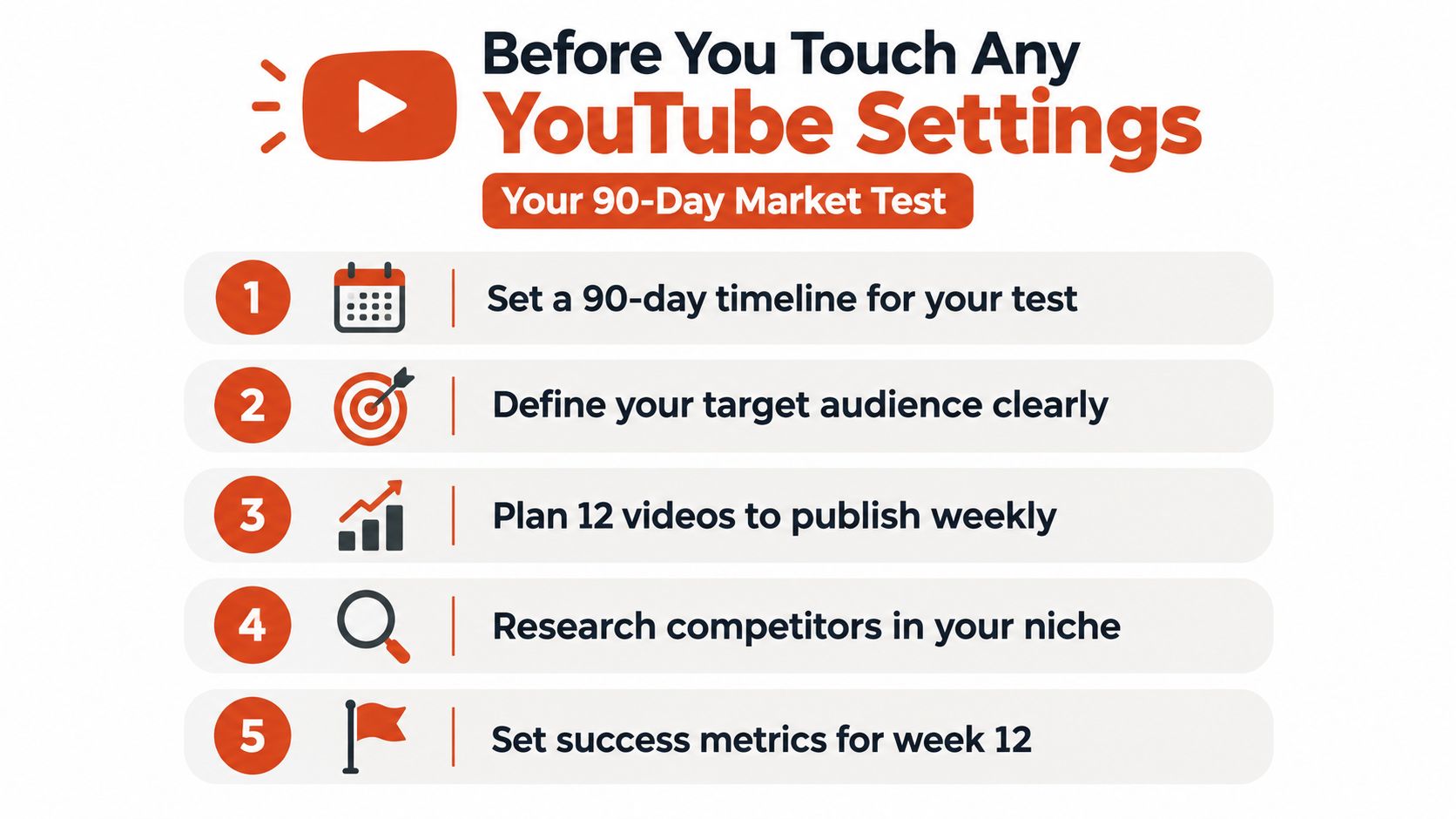
For the initial test, plan 10 to 20 videos for one audience, keeping the promise and format consistent enough to compare results. A weekly schedule can be a useful planning device, but it isn't a universal growth formula. Choose a pace you can sustain, then stick to it long enough to learn something.
Before recording, draft the topic, title idea, thumbnail concept, opening hook, and one metric to check for each upload. Mark your assumptions as assumptions: perhaps viewers want beginner-friendly explanations, or perhaps they'd rather see an expert demonstrate the process. Don't treat either guess as proven until viewers respond.
Pick the surface that fits the idea
Long-form videos give viewers room to follow a topic in depth, while Shorts can introduce your ideas in a vertical format. YouTube's monetization framework treats long-form viewing and Shorts separately, so choose a primary format that fits both your audience and your production strengths. You can use one recording to make several focused pieces, but don't strip a clip of the context that makes it useful.
Working rule: Your first setup document should be a one-page channel brief, not a shopping list. Keep it visible when you're deciding what to record next.
Validating Your Niche Before You Invest Months
A generic list of “best YouTube niches” won't tell you whether your particular angle has an audience. A niche can look popular and still be a poor fit if you can't offer a distinct, useful answer. Start with a viewer problem, then test whether your approach earns attention.
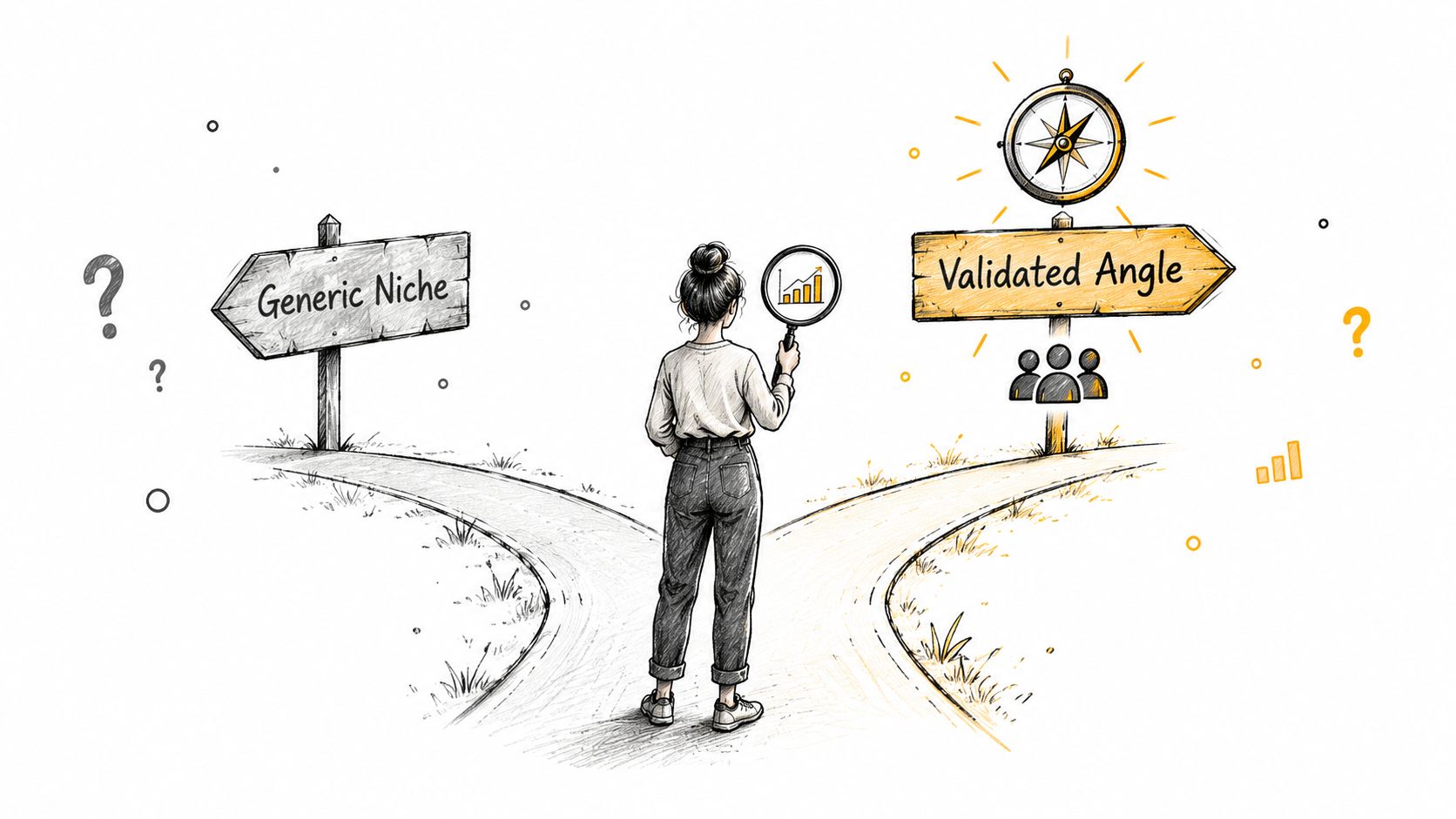
Search YouTube for the exact question your intended viewer might ask. Review the videos that appear, not to copy their packaging, but to spot what they explain clearly and what they leave unresolved. Read comments for repeated follow-up questions, confusing steps, and requests for examples. Those can reveal an angle that's underserved even when the general subject is crowded.
Next, ask whether you can make a stronger or more specific answer. If existing videos cover “how to edit a podcast,” perhaps your angle is editing a two-person remote interview with free tools. If you can't name the viewer, the recurring problem, and your distinctive approach, keep researching before you commit.
This video can help you think through the difference between a broad niche and a more testable channel angle:
Run a small validation test
Make three to five test videos around related viewer problems. Before each upload, write down what you think will happen, such as “viewers searching for this question will stay longer if I show the result before the explanation.” Then choose a metric that can test that idea, such as average view duration or subscriber conversion. After enough impressions accumulate, decide what to change in the next video.
A crowded niche isn't automatically a bad choice. Strong demand paired with weak explanations can be an opening; a topic with little useful audience response may require a narrower angle or a different promise. Don't decide the market is exhausted after one quiet upload. YouTube's own Creator Academy training can help you build channel skills, but your test results should guide your positioning.
Account, Channel Page, and Default Settings
Once you know what the channel is for, create or sign in to the Google account you'll use to manage it. If other people may need access, plan account permissions deliberately instead of sharing login details. Then create the channel and choose a name and handle that are easy to say, spell, and remember.
Your name should be recognizable without trapping you in an overly narrow promise. A creator using their own name has room to explore related subjects; a brand name can work better for a focused show or business. Either way, avoid names that are difficult to pronounce or that make the channel's subject harder to understand.
Add a profile image and banner that look clear at small sizes. Use the channel description to answer three questions: who the channel serves, what viewers can expect, and how the content is organized. Don't promise a publishing schedule you can't maintain. If you're still testing, describe the format and subject instead of locking yourself into a cadence you may regret.
Set defaults that save time
Channel settings and upload defaults can reduce repetitive work, but they won't rescue weak videos. Use defaults for reusable details, such as a standard description line or links that belong on every upload. Write the video-specific title and opening description for each video instead of leaving generic placeholders in place.
Add a watermark only if it's legible and doesn't compete with the content. Choose channel keywords that accurately describe the subject, but don't spend hours trying to optimize a keyword field. Your topic choices, packaging, and viewer response deserve more attention.
YouTube's custom URL options and eligibility can change, so check the current settings in Studio rather than building your launch plan around a particular URL feature. Your handle and consistent channel branding matter more than delaying publication to perfect a web address. The goal is a page that makes the channel's promise obvious, not a flawless design project.
Planning and Recording Your First Videos
First videos usually struggle because the idea is unfocused or the opening delays the payoff, not because the creator lacks an expensive camera. Outline each video around one core question. In the opening 10 to 15 seconds, state what the viewer will learn or see, then get to the first useful point without a long greeting or unrelated backstory.
A simple outline keeps you from wandering: name the problem, show the result or central idea, explain the steps, and finish with a clear next action. Cut pauses, repeated points, and setup that doesn't help the viewer understand the answer. A smartphone or webcam can work well when the image is steady, the light is decent, and the audio is clear. Viewers will tolerate a modest image more readily than muffled speech.
For podcasts, interviews, webinars, or product demos, plan clips as complete ideas rather than arbitrary excerpts. Each clip should make sense on its own, begin cleanly, and resolve the point it raises. Keep cuts on sentence boundaries, center the active speaker in vertical framing, and check that captions are readable on a phone. A single recording can be prepared in 9:16, 1:1, and 16:9 formats, but each version still needs a sensible crop and context.
If you're choosing an editor, compare the workflow you need with the video editing software options for creators. Keep the choice practical. The software should help you publish clear work without turning every upload into a technical project.
Before you publish, check that you've got:
- A specific topic: What viewer problem does this video answer?
- A title and thumbnail hypothesis: What expectation are you setting?
- A direct opening: Does the first moment make the payoff clear?
- A useful description: Does it explain the video and point to relevant next steps?
- A review metric: What will you inspect after the video has had time to gather data?
When you have long recordings, Keptbits can identify candidate moments, cut and caption segments, and create vertical, square, or widescreen versions. Treat any automated edit as a first pass. Review the clip for accuracy, tone, and enough context before publishing.
Titles, Thumbnails, and Descriptions That Earn Clicks
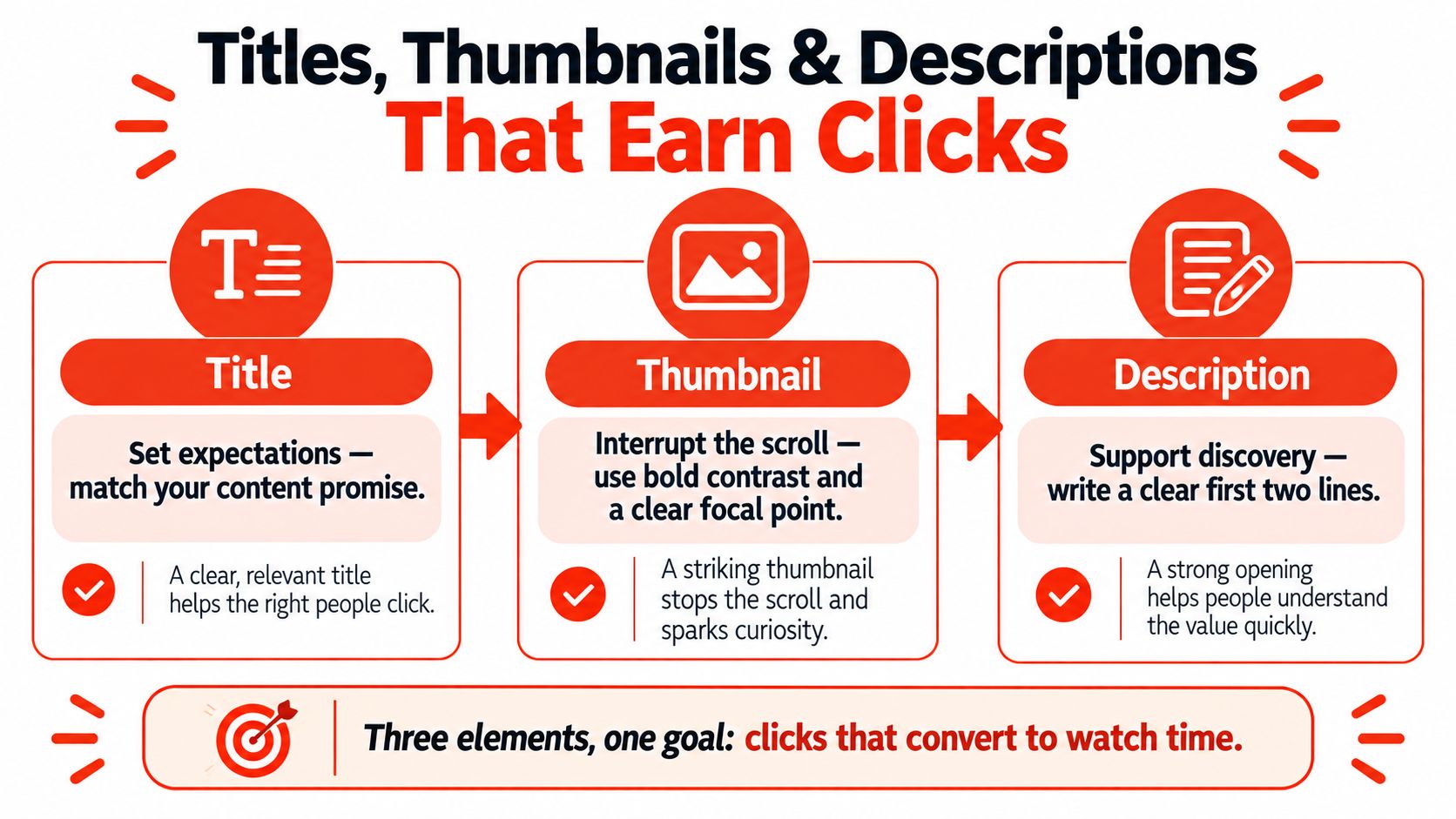
Packaging works as a unit. The title sets an expectation, the thumbnail earns a pause, and the description helps a viewer understand what the video covers. A click is not a win if the video doesn't deliver on its promise. Build a title-thumbnail pair around the same specific payoff, then check whether viewers continue watching.
A useful title names the problem or result in language your intended viewer recognizes. The thumbnail shouldn't repeat the whole title. It should provide a clear focal point, readable contrast, or a visual detail that adds information. Compare your design with nearby recommendations: if the image blends into the screen, revise the contrast or simplify the composition.
Give every element a job
Write the first lines of the description for a person deciding whether the video answers their question. Include a natural summary and relevant links. For longer videos, add timestamps that help viewers find specific parts, and connect to related videos when that next step fits. Don't stuff repeated keywords into the description.
Tags are a minor aid for clarifying misspellings or related terms, not a substitute for a useful idea and accurate packaging. Cards and end screens can direct viewers to a relevant next video or playlist. Use them to extend a viewing journey, not to send people somewhere unrelated.
Keep a simple log of each title and thumbnail concept alongside the video's click-through rate and retention. Review patterns across the first 10 to 20 uploads, rather than judging a packaging style from one result. If clicks are strong but viewers leave early, the title or thumbnail may promise something the video doesn't deliver. For more workflow ideas, explore AI tools for YouTubers, but keep a human review between a generated suggestion and a published title.
Understanding the Monetization Milestones
YouTube monetization is a set of eligibility milestones, not proof that a channel has found its audience. The platform offers an earlier Partner Program entry route for fan-funding features, then a higher threshold for full advertising eligibility. Both routes require more than opening an account or collecting subscribers.
| Route | Subscriber and publishing requirements | Viewing requirement |
|---|---|---|
| Earlier fan-funding entry | 500 subscribers and at least 3 valid public uploads in the last 90 days | 3,000 valid public watch hours in the past 12 months or 3 million valid public Shorts views in the past 90 days |
| Full advertising eligibility | 1,000 subscribers | 4,000 valid public watch hours in the past 12 months or 10 million valid public Shorts views in the past 90 days |
These are the general thresholds described in YouTube's official Partner Program requirements. The earlier entry route is not the same as full ad-revenue eligibility, so track them separately. Meeting a threshold also doesn't replace the platform's policy and account requirements.
Choose a format based on the viewing goal
Long-form creators should build videos and series that encourage sustained viewing. Track valid watch hours, average view duration, and whether viewers return for related uploads. Shorts-led creators need a repeatable way to reach viewers through short vertical videos, then should watch qualified Shorts views and subscriber conversion. Don't assume a high view count automatically creates a deeper audience relationship.
To apply, creators also need to meet requirements that include an eligible country or region, no active Community Guidelines strikes, two-step verification, access to advanced features, and an AdSense for YouTube account. Check the expanded Partner Program eligibility details before relying on a milestone as a business plan.
Update a tracker monthly with subscribers, valid public watch hours, valid Shorts views, returning viewers, and policy or account requirements. Treat progress toward monetization as useful feedback, but keep your editorial goal clear: make videos that earn a viewer's next visit.
Your First 90 Days and When to Pivot
Treat the first three months as a market test. Your job is to produce evidence about the idea, not to judge your talent on a handful of uploads. Keep the audience and promise consistent long enough to compare videos, then change direction only when the evidence points to a real mismatch.
Days 1 to 30: Publish your test batch and record the reasoning behind each video. Log the topic, the title and thumbnail hypothesis, the opening hook, traffic source, average view duration, retention curve, and subscribers gained. One quiet upload means nothing on its own. My rule: never restructure a channel off fewer than five uploads.
Days 31 to 60: Compare videos that serve similar viewer needs. Look for topics that hold attention, bring viewers back, or send people to another upload. If a video earns clicks but loses viewers in the first minute, fix the opening and delivery before abandoning the topic. If viewers watch to the end but don't subscribe, sharpen the channel promise and the next step you offer.
Days 61 to 90: Narrow your positioning around the themes that repeatedly earn meaningful viewing. Watch for the numbers that mislead new creators: a spike of views from a single Short, subscriber growth driven by one outlier, impressions rising while click-through falls. A pivot is reasonable when average view duration stays weak across formats, traffic repeatedly fails to convert to subscribers, or returning viewers stay flat despite clearer packaging. One bad week is a reason to inspect a video, not scrap the channel.
Don't confuse persistence with repeating the same mistake. Keep the audience promise steady while you test the topic, opening, and packaging one at a time.
Close the test with a written review: what you learned, what remains unproven, and what changes in the next batch. If short-form repurposing fits your format, an AI Shorts maker can turn longer recordings into clips; log each clip's performance in the same Days 61 to 90 tracker so repurposed Shorts are judged against your main uploads rather than in isolation.
Third-party analyses estimate that YouTube paid more than $70 billion to creators, artists, and media companies between 2021 and 2023 (YouTube creator economy statistics), a historical figure that shows the scale of the opportunity without promising income to a new channel. Build for viewers first. A clear promise, accurate packaging, and a publishing routine you can sustain will beat a polished channel page every time.
If your channel starts with long interviews, podcasts, webinars, or streams, Keptbits can find self-contained moments and prepare captioned clips in vertical, square, and widescreen formats. Try that workflow on your next recording and visit Keptbits to see how it fits your publishing system.
Keptbits cuts on sentence boundaries.
Paste a link or upload an episode, say how many clips you want, and get them back captioned and vertical. The free plan needs no card.
Start freeRead next
7 Online Video Editor Free Picks That Deliver in 2026
Compare 7 online video editor free options for 2026, including watermark limits, export quality, key features, and the best use for each tool.
How to Make Viral Video on YouTube in 2026
Learn how to make viral video on YouTube with proven hooks, thumbnail tests, retention fixes, and Shorts workflows that actually convert viewers into
How to Create a Highlight Video That Actually Works
Learn how to create a highlight video with a step-by-step workflow covering scripting, clipping, pacing, captions, and export settings that perform.