29 September 2026 · 15 min read
That's a Good Deal: How to Evaluate True Value
Wondering if that's a good deal? Learn how to evaluate true value, decode pricing models, and spot the difference between a bargain and a trap.
You're at the checkout page for a creator tool. The monthly price looks low, the feature list is crowded, and a banner insists you're getting a “good deal.” Yet the plan may cap exports, meter processing, add a watermark, or produce clips that need more manual repair than the old workflow. The discount is visible. The true cost is not.
That's why “that's a good deal” needs a stricter definition. A worthwhile purchase isn't merely cheap. It solves the right problem, produces usable work, keeps its costs predictable, and remains useful after the excitement of the offer disappears.
Table of Contents
- "Decoding the Meaning Behind the Phrase"
- "The Historical Roots of Bargain Hunting"
- "Perceived Value Versus Objective Quality"
- "Evaluating Software and Subscription Deals"
- "How Technical Execution Defines True Worth"
- "The Hidden Costs of Poor Output Quality"
- "Final Checklist for Confident Purchasing"
"Decoding the Meaning Behind the Phrase"
You're comparing two subscription plans when a colleague looks over your shoulder and says, “That's a good deal.” Before you accept the verdict, ask what they mean. The phrase sounds precise, but it isn't.
In everyday English, “good deal” has several distinct meanings. In a shopping conversation, it usually means a bargain or favorable transaction. “This editing plan includes more features for the same price” uses the phrase as a judgment about value. The speaker believes the exchange benefits the buyer.
In another context, “a good deal” can mean a large amount or extent. “That project requires a good deal of work” says nothing about price, savings, or commercial quality. It means the amount is substantial. A marketer can use language that evokes abundance without proving that the offer itself is favorable.
The third meaning is conversational. Someone says, “We'll deliver the files tomorrow,” and you reply, “Good deal.” You're acknowledging or accepting the arrangement. You aren't necessarily praising the price. You're just signaling agreement.
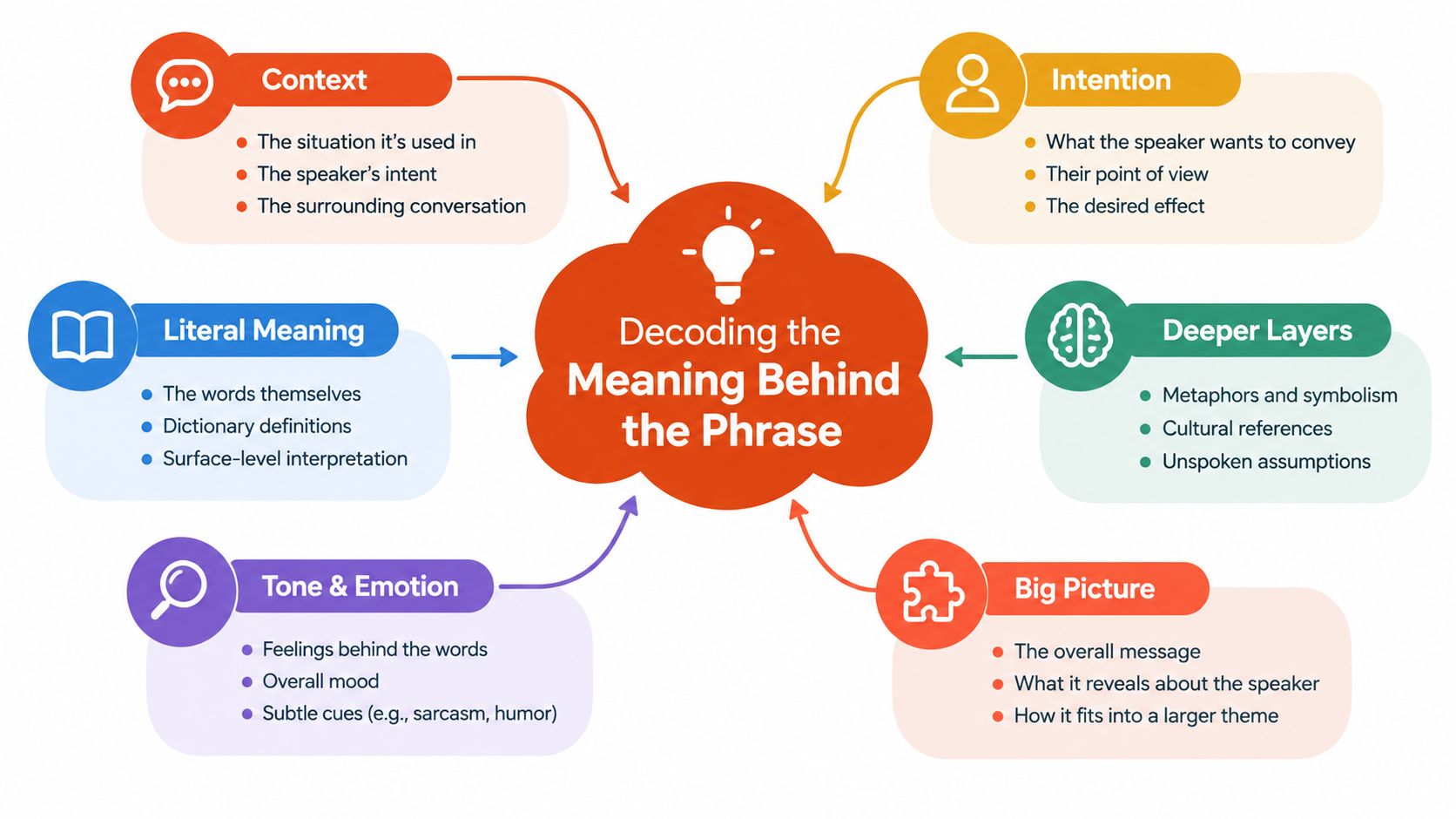
Context decides the meaning
Consider three short examples:
- Shopping: “The annual plan includes the features I need at a lower total cost.” This is a bargain judgment.
- Business: “The contract covers a good deal of support work.” This describes scope or quantity.
- Conversation: “The vendor can start Monday.” “Good deal.” This is acceptance.
The distinction matters because sales pages often combine these meanings. A plan may offer “a good deal” of storage, “a good deal” of creative capacity, or a deal that sounds agreeable. None of those statements establishes that the purchase is financially favorable.
The dictionary definition of “good deal” separates these uses and also captures the informal acknowledgment. Read the phrase as a signal, not evidence. Then translate it into a question: favorable for whom, measured against what, and useful for which job?
Buyer's rule: Never let a positive phrase substitute for a comparison of total cost, constraints, and output quality.
"The Historical Roots of Bargain Hunting"
The word deal carries an older idea than commerce. Etymological records trace it to Old English dǣl, meaning a part, portion, or share, with historical usage appearing before 900 CE. The modern bargain sense developed from that older idea of dividing or apportioning something. Dictionary.com's entry on “deal” documents both the historical root and the later commercial meaning.
That development explains why the phrase feels intuitively persuasive. A deal allocates something between parties. A good deal suggests that your share is favorable, generous, or better than the alternative. The language frames the transaction as a beneficial portion before you've inspected the terms.
Why quantity can feel like value
The phrase also benefits from a natural mental shortcut. If an offer contains a large amount of storage, credits, templates, exports, or processing capacity, buyers can interpret abundance as advantage. But quantity only matters when it matches actual use.
A creator who publishes short clips every week may value reliable captioning and clean speaker framing more than a large unused asset library. A marketing team may prefer a smaller tool that exports in the required formats without manual resizing. A service contract with broad coverage may still be poor if the provider responds slowly or excludes the work that causes the most problems.
The historical shift from portion to bargain doesn't prove that buyers are irrational. It shows why the wording works. The same word can describe what you receive, how much you receive, and whether the exchange favors you. A sales page can move between those meanings without announcing the change.
Strip away the emotional label
When a vendor calls an offer a deal, remove the label and write down the exchange:
- What are you paying?
- What work will the product complete?
- Which limits apply?
- What happens when your usage grows?
- What will your team still need to do manually?
That exercise turns a vague favorable impression into an auditable purchase. The phrase can remain useful as a conclusion, but it shouldn't function as the argument.
"Perceived Value Versus Objective Quality"
A discount is objective. Value is contextual.
Objective deal quality includes the parts you can verify directly, such as the subscription fee, usage limits, included formats, cancellation terms, and processing rules. Perceived value includes the elements that determine whether the purchase feels worthwhile after use, including trust, reliability, reduced frustration, and confidence in the result.
A low price can win the first comparison and lose the ownership test. If a cheap tool creates unusable files, forces repeated exports, or requires constant correction, you're paying with time instead of money. That trade can be acceptable for experimentation, but it isn't automatically a good deal.
Use a two-column review
| Evaluation Criteria | Objective Metrics (Hard Data) | Subjective Signals (Soft Value) |
|---|---|---|
| Price | Subscription fee, billing frequency, overage rules | Confidence that the cost feels proportionate |
| Scope | Included features, formats, limits, support coverage | Whether the product fits your real workflow |
| Output | Accuracy, export quality, file usability | Whether the result looks ready to publish |
| Time | Steps required from input to delivery | Friction, frustration, and review effort |
| Risk | Cancellation, refund, renewal, and data terms | Trust in the vendor and comfort with commitment |
| Durability | Product access and compatibility over time | Likelihood that the tool remains useful to your team |
The matrix works because it prevents two common errors. First, you won't confuse a pleasant brand experience with adequate functionality. Second, you won't treat a technically complete product as valuable if it creates unnecessary work for the people using it.
Judge the outcome, not the feature count
Suppose two video tools both transcribe recordings and generate short clips. One gives you attractive demonstrations but requires manual reframing, caption correction, and repeated trimming. The other produces fewer decorative options but gives you clean cuts, stable framing, and captions you can publish with minor review.
The second product may be the better deal even if its headline price is higher. It removes tasks that would otherwise consume production time. That's a form of value that a feature checklist misses.
Warranty terms, support access, data handling, and cancellation rights belong in the same analysis. Consumer guidance on car buying makes the same broader point: a deal depends on more than the discount, including avoided add-ons and how satisfied the buyer feels afterward. This guidance on judging a car deal is useful because it treats value as both measurable and subjective.
Practical test: If you removed the discount banner, would you still choose the product for the work it performs?
That question exposes weak purchases quickly. If the answer is no, the offer is probably buying your attention rather than solving your problem.
"Evaluating Software and Subscription Deals"
Software pricing deserves suspicion because the monthly fee rarely tells the whole story. A plan can look inexpensive while charging according to minutes processed, exports completed, seats added, storage consumed, or features made available. Those variables turn a stable budget into a moving target.
Start with the usage model. Flat pricing gives you a predictable relationship between subscription and output. Metered pricing makes the bill rise as your archive, publishing schedule, or client workload expands. Neither model is automatically wrong, but the second requires closer forecasting.
Audit the plan in four passes
First, test the actual input. Can you bring in the recordings you use, or must you download, convert, and stage files elsewhere? Browser-based ingestion can remove an avoidable transfer step. Range selection can also help when you only need to inspect part of a long recording.
Second, inspect the run limits. “Unlimited” may mean unlimited logins or projects while exports remain restricted. Check whether the plan limits clips per run, duration, watermarks, aspect ratios, or caption styles. A free tier that permits unlimited runs but restricts the output can still be useful for evaluation, provided you understand what the test does and doesn't prove.
Third, calculate friction. Count the manual actions between source video and publishable clip. A tool that identifies candidate moments but leaves every cut, crop, caption, and export to you may be a search aid, not a production solution.
Finally, review the exit. Confirm renewal behavior, cancellation timing, refund language, and what happens to stored projects. A cheap first week isn't valuable if leaving requires a complicated process or if the product becomes expensive at the moment your usage increases.
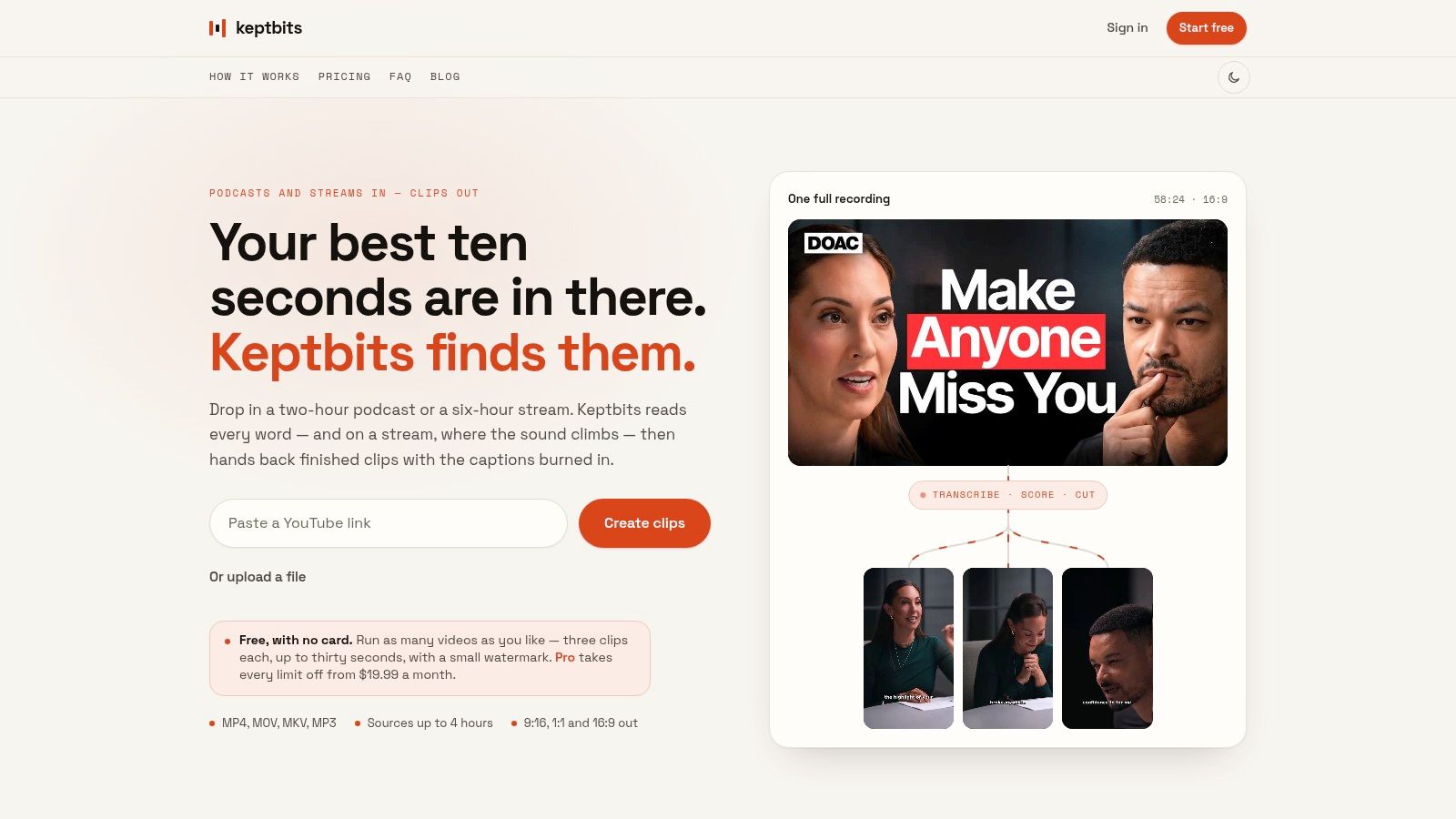
For creator workflows, compare the plan against the full job. You need more than moment detection. You need a self-contained clip, a cut that preserves the speaker's thought, a crop that keeps the subject visible, readable captions, and exports suited to the feeds you use.
A practical overview of AI tools for YouTubers can help place clipping software within a broader publishing workflow. Don't buy a tool because it advertises artificial intelligence. Buy it when the automation removes a bottleneck you can identify.
Keptbits accepts browser-based video sources up to four hours, separates speakers in its transcript, scores self-contained moments, and exports in 9:16, 1:1, and 16:9 formats. Its free plan offers unlimited runs with up to three 30-second clips per run and a small watermark, while Pro costs $19.99 per month or $5.99 per week, with a free first week and no watermark. Those are product terms, not proof that it's right for every creator. Test whether its output matches your standards before you commit.
"How Technical Execution Defines True Worth"
The best software deal is often the product that handles invisible technical work correctly. Users notice the final clip, not the pipeline behind it, but pipeline quality determines whether the result feels deliberate or damaged.
A transcript-based clipping system needs to know more than what was said. It must understand who spoke when, where speech begins and ends, and which words belong to a complete thought. Speaker diarization and speech segmentation provide that enabling layer. A standard pipeline uses voice activity detection to remove non-speech, partitions speech into overlapping segments, embeds those segments, and clusters them into a timeline with speaker timestamps, as described in this technical overview of speaker diarization and segmentation.
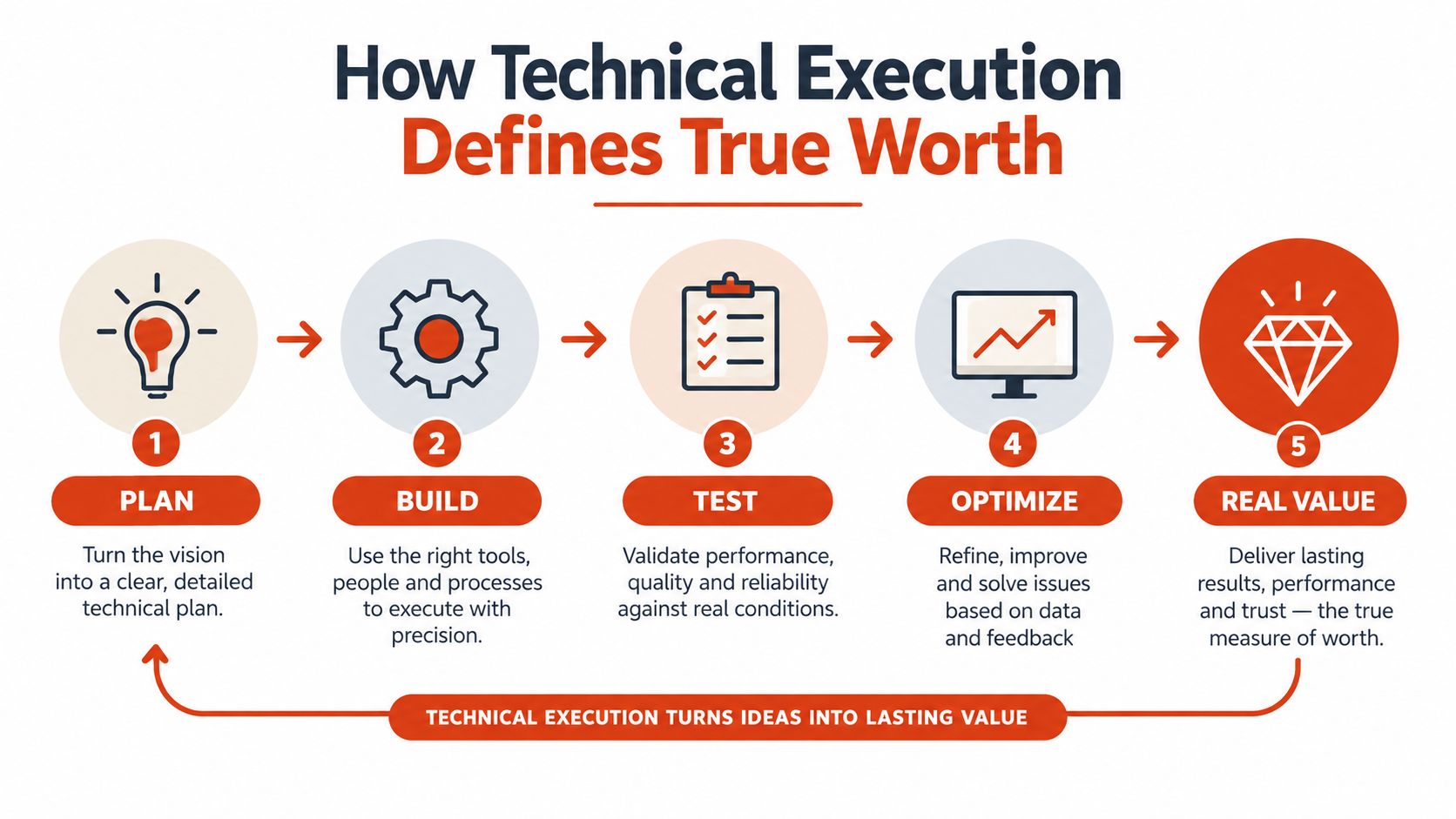
Good cuts begin with accurate boundaries
A tool that cuts at arbitrary timecodes can remove the start of a word, split an answer from its question, or end a clip before the speaker reaches the point. That forces an editor to locate the problem and repair it manually. The advertised automation remains, but the useful automation has disappeared.
Speaker-homogeneous segments reduce cross-speaker contamination and improve alignment between speech recognition and video timing. For interviews and podcasts, that makes it practical to cut at exact speaker turns instead of guessing where a sentence ends. The result is not merely cleaner editing. It preserves the meaning that makes the clip worth publishing.
The engineering test: Ask whether the tool can explain its cut through transcript timing, speaker identity, and sentence structure.
Framing creates another hidden quality gap. Vertical video crops a wide source into a narrow composition. If the crop drifts, pans unpredictably, or loses the active speaker, the viewer has to search the frame. Speaker-aware reframing keeps the subject centered according to the transcript rather than applying a generic movement pattern.
Captions are part of the product
Captions aren't decoration added after the edit. They carry meaning, direct attention, and affect how easily viewers can follow the speaker. Automatic subtitle design therefore belongs in the buying decision.
Eye-tracking research on subtitle layout found that two-line subtitles produced greater total fixation time, more revisits, lower skipping probability, and longer time to first fixation than one-line subtitles. The subtitle eye-tracking research demonstrates that line layout changes reading behavior and attention cost.
For short-form exports, that supports a clear preference: concise captions, controlled line breaks, sentence-aligned timing, and styling that remains legible against the footage. A tool that generates captions but makes viewers work harder has transferred its quality problem from editor to audience.
See how AI subtitle makers fit into a broader caption workflow, but judge every output visually. Watch the clip without sound. Check names, punctuation, timing, line length, contrast, and whether the captions reinforce or obscure the speaker.
A product earns its price when the technical layer protects the creative result. Cheap processing that creates repair work is not efficiency. It's outsourced cleanup.
"The Hidden Costs of Poor Output Quality"
A discounted subscription can become expensive the first time a client requests changes. The relevant question is not only what the tool charges, but how much output liability it creates before a customer, client, or audience can see the finished work.
Poor output quality consumes time in several places. Editors may need to re-export a clip after discovering a bad cut, incorrect format, or unusable file. Client revision cycles grow when each delivery requires explanations, corrections, and another approval round. A fast first export has little value if it creates a second production queue.
Set output standards
Reject a tool if its results regularly create avoidable work:
- Speech integrity: Cuts begin and end at natural word or sentence boundaries.
- Rework burden: Count the minutes needed to fix crops, captions, cuts, or file settings before each publish.
- Context completeness: The clip opens and resolves without requiring the original episode or additional explanation.
- Export usability: Files arrive in the aspect ratios and formats your publishing workflow needs.
- Revision control: Your team can identify versions, apply feedback, and produce the next export without confusion.
These standards expose the difference between a low price and useful workflow value. Templates and automation features do not compensate for repeated manual corrections. Calculate the labor attached to every export, including review, approval, rework, and final upload.
Storage and delivery create another hidden cost. Large recordings can consume shared storage, slow handoffs, or force teams to use separate transfer services. If your team regularly shares video files, review practical guidance on sending video by email before choosing a production tool. Delivery limits belong in the operating calculation, not at the end of the process.
A creator tool earns its price when it reduces total handling time across the workflow. A cheap export that requires a full manual edit only moves the expense from the invoice to your schedule.
A free export that needs a full manual edit is not free. It's a trial of your patience.
"Final Checklist for Confident Purchasing"
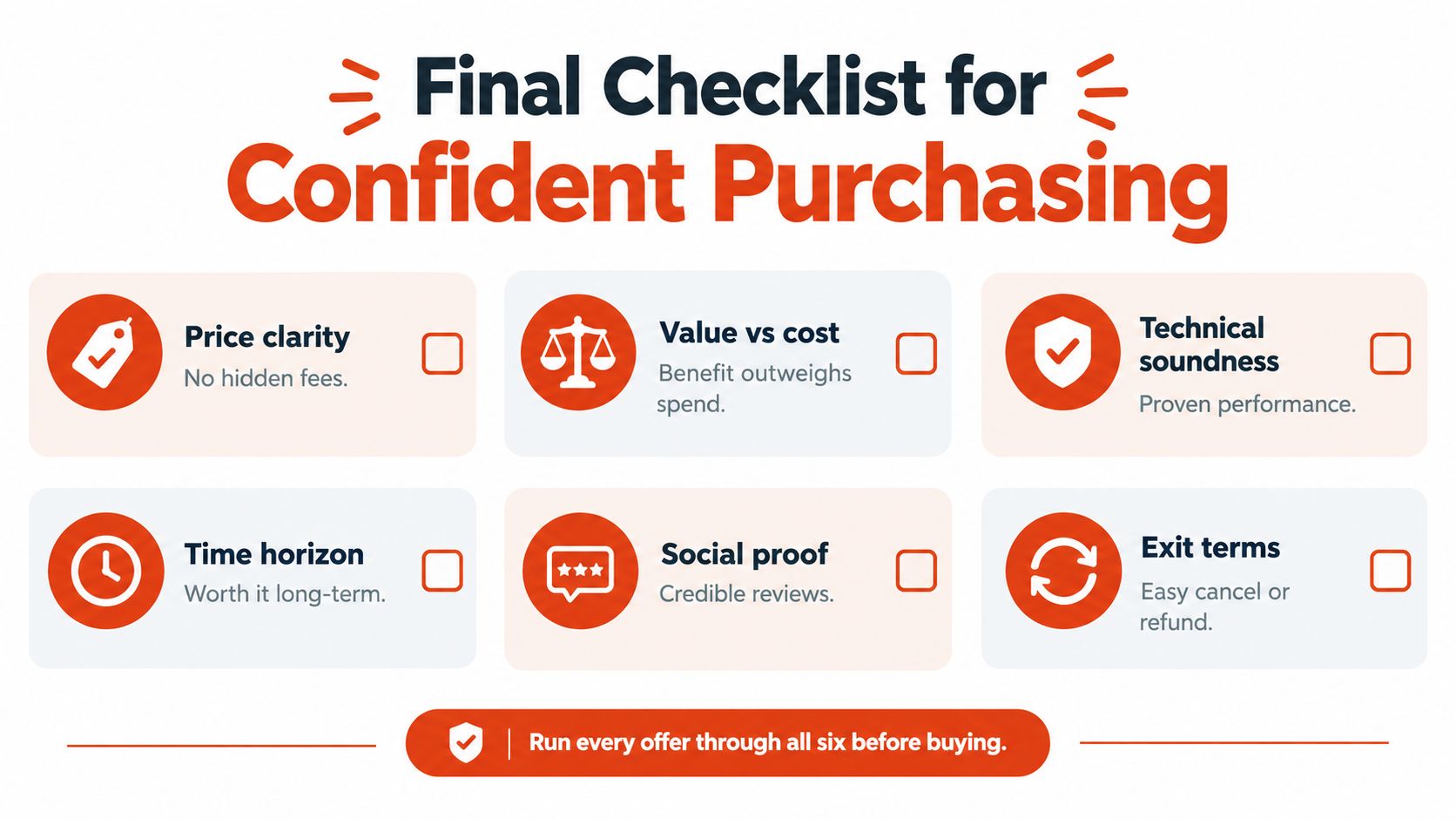
Before you subscribe, remove the emotional language and run the offer through six checks:
- Price clarity: Find the renewal cost, billing frequency, overage rules, and cancellation path.
- Value versus cost: Name the specific workflow problem the product solves.
- Technical soundness: Inspect real outputs, not only promotional previews.
- Time horizon: Decide whether the tool remains useful after the introductory offer ends.
- Credible evidence: Read reviews that discuss output quality, limitations, and support.
- Exit terms: Confirm how cancellation, refunds, stored files, and renewals work.
Free tiers aren't automatically the smartest starting point. A restricted plan can hide the exact feature you need, while a predictable subscription may be the better choice when it removes repeated manual work and gives you dependable output. The correct question isn't “How little can I pay?” It's “What will this purchase reliably deliver, and what will it still cost me to finish the job?”
Keptbits turns long recordings into short, captioned clips with transcript-aware cuts, speaker-focused framing, and exports for vertical, square, and widescreen feeds. Test the workflow against your own footage, then visit Keptbits if you want a clearer way to judge whether automated clipping is a good deal for your production process.
Keptbits cuts on sentence boundaries.
Paste a link or upload an episode, say how many clips you want, and get them back captioned and vertical. The free plan needs no card.
Start freeRead next
10 Video Editing Tools Online for Faster Content
Compare 10 video editing tools online for captions, automation, free tiers, aspect ratios, collaboration, and practical browser-based workflows.
10 Vertical Video Editor Tools Compared
Compare 10 vertical video editor tools for reframing, burned-in captions, and Shorts, Reels, and TikTok export workflows.
4 5 Size in Pixels and Posts: A Practical Guide
Learn what 4 5 size means for photos and videos, the best pixel dimensions for social feeds, and simple cropping tips to make every post look polished.